Skip to content
PULL UP The research producer for live shows

Press kit

The mark, the lockup and the icon as SVG and PNG, five screenshots of the real app, a boilerplate and the facts. Everything here may be used to write about Pull Up.

About Pull Up

Pull Up is the research producer for live shows. When a host says “pull up the study on cold plunges”, Pull Up finds the best web result, video and Reddit thread within seconds and shows them in a small overlay only the host can see. Nothing goes on stream until the host presses Take, which puts the card on screen through OBS as a broadcast lower third. Audio never leaves the Mac and is never recorded. Pull Up works beside Riverside, StreamYard, Zoom and OBS, and is in free beta for Apple silicon Macs at saypullup.com.

About 100 words. Copy it as is, or cut from the end.

Name
Pull Up
Category
The research producer for live shows
Headline
Say “pull up” and it’s on screen.
Website and handle
saypullup.com · @saypullup
Runs on
Apple silicon Macs, macOS 14.2 or later
Status
Free beta, by invitation in small groups
Price at 1.0
$10 a month or $100 a year
Works beside
Riverside, StreamYard, Zoom and OBS
How cards reach the stream
The Stage, a page OBS shows as a Browser Source, after the host presses Take
Speech
whisper.cpp, on the Mac. No recordings, no transcripts kept
Search
Serper (Google results) or Brave Search, with the host’s own key during the beta
In the app
No analytics and no telemetry. Crash reports only with consent, with no content
Launched
[[launch date]]

Screenshots

Captured from the app’s own interface and the shipped Stage page, on sample cards. No mockups.

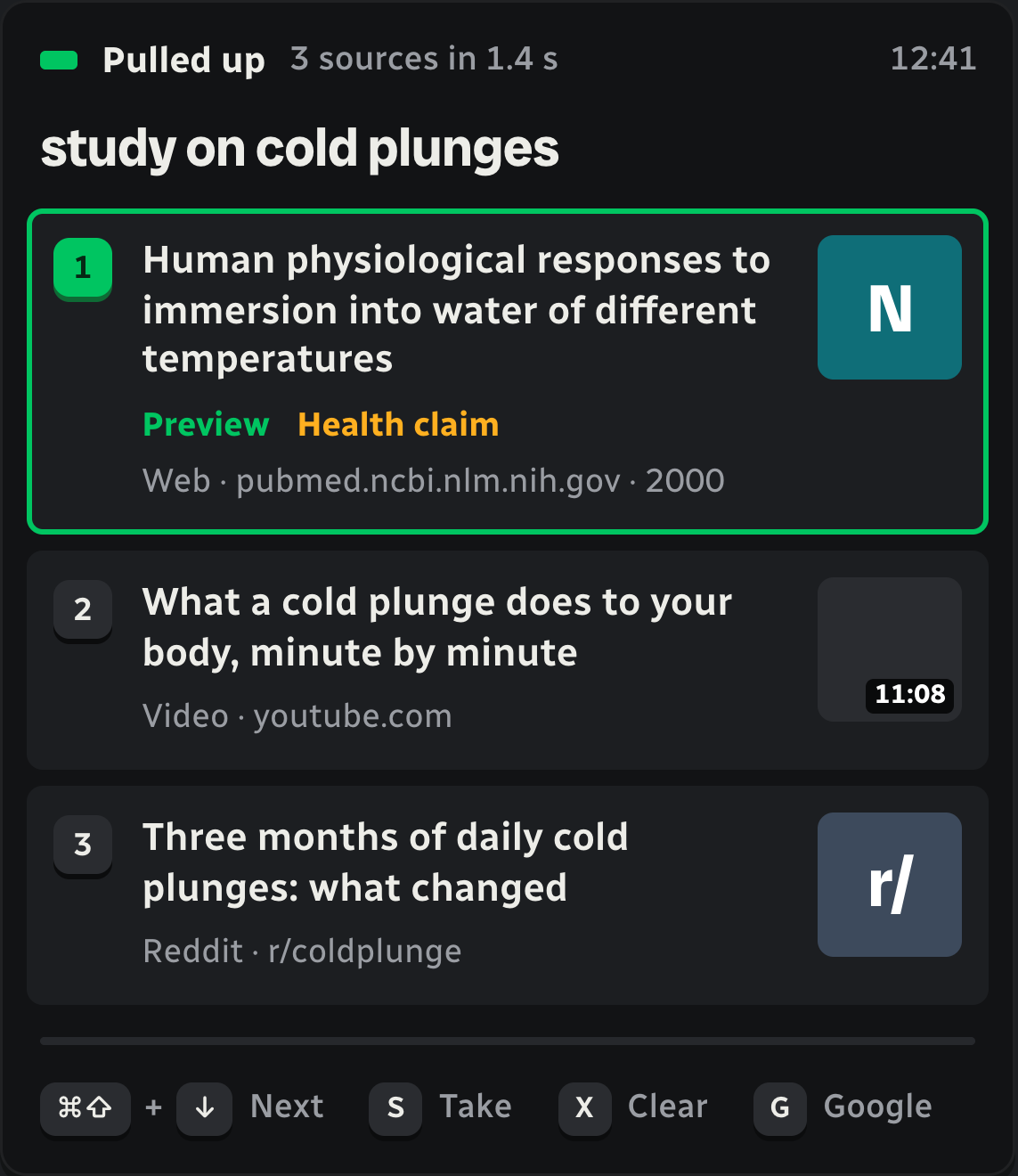
The overlay with three cards; the first is lit green, Preview, only the host sees it
The overlay: three cards, the first in Preview. Only the host sees this. PNG
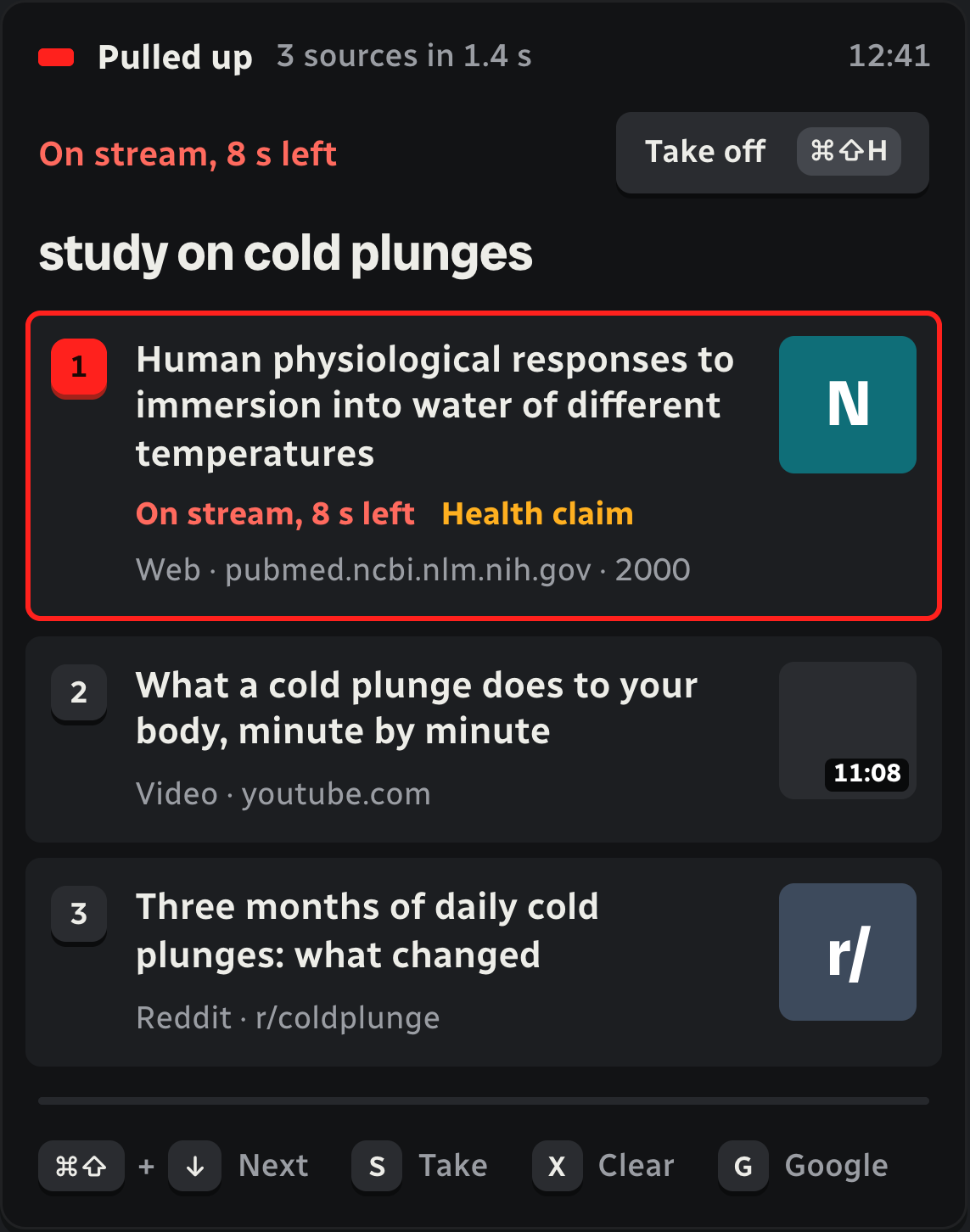
The overlay with the first card lit red and On stream, 8 seconds left
After Take: the card is on stream, with the seconds left. PNG
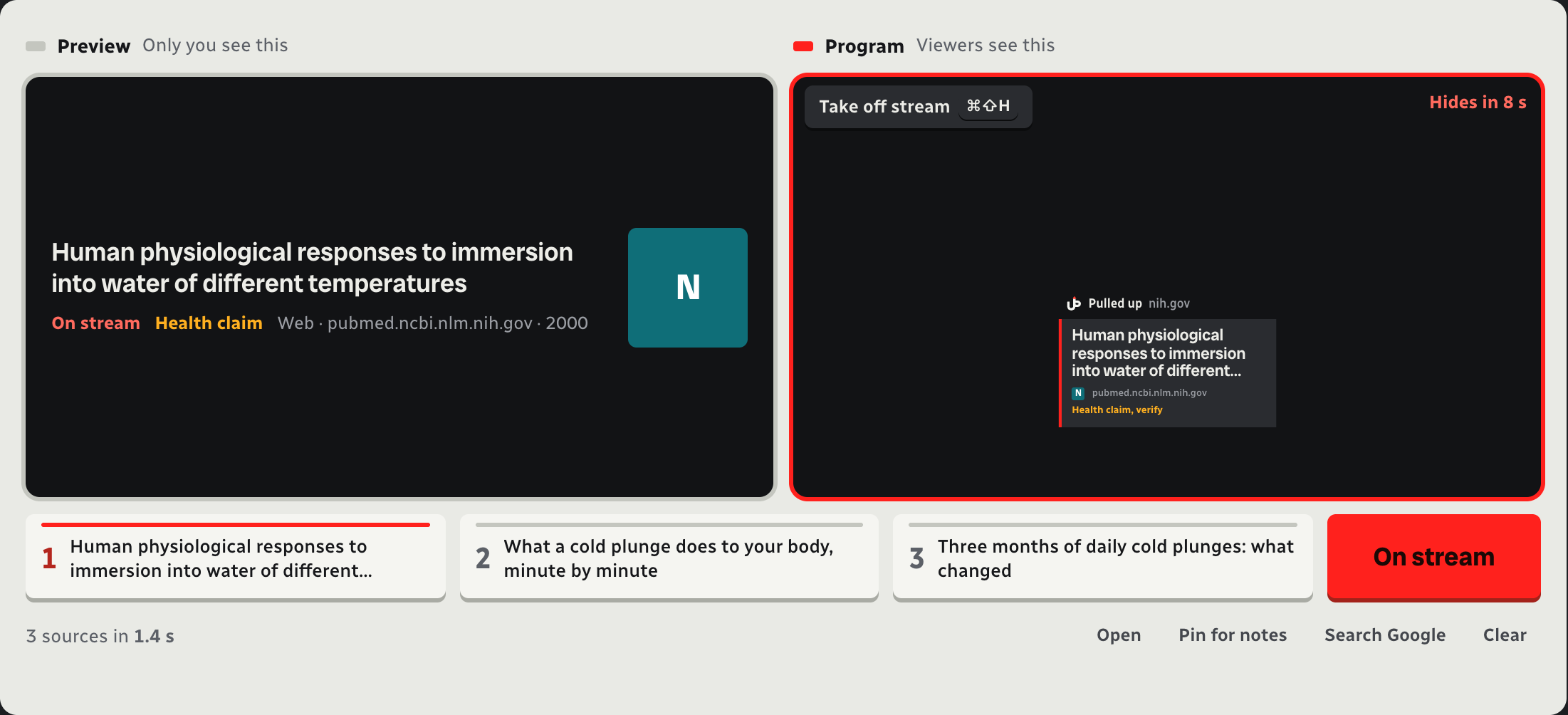
The Live screen: Preview and Program monitors, three source keys and the On stream key
The Live screen: Preview, Program and the source keys. PNG
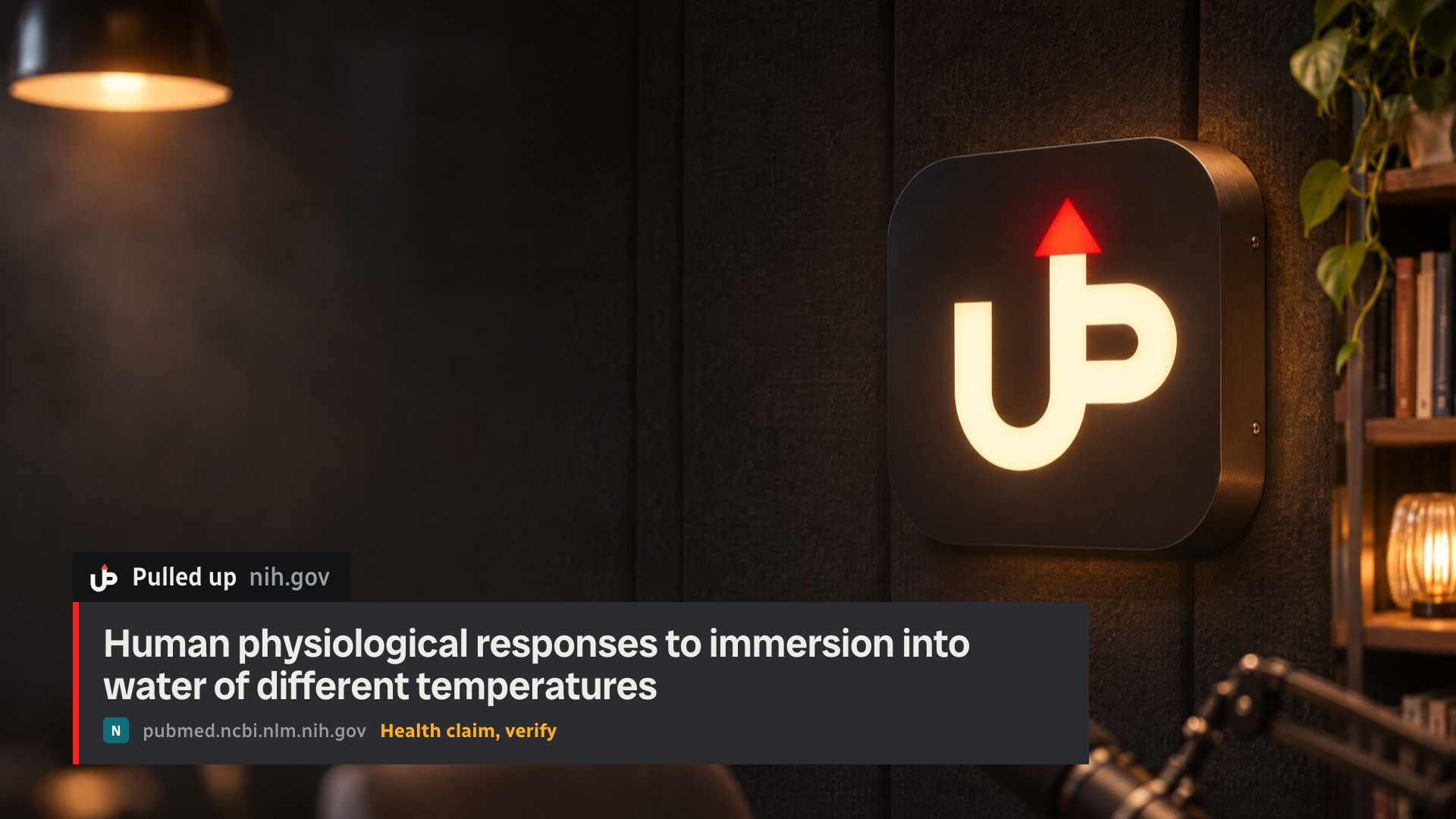
A studio with the Pull Up lower third: Pulled up, nih.gov, the study's title
The Stage in OBS: the Strap, as viewers see it. PNG
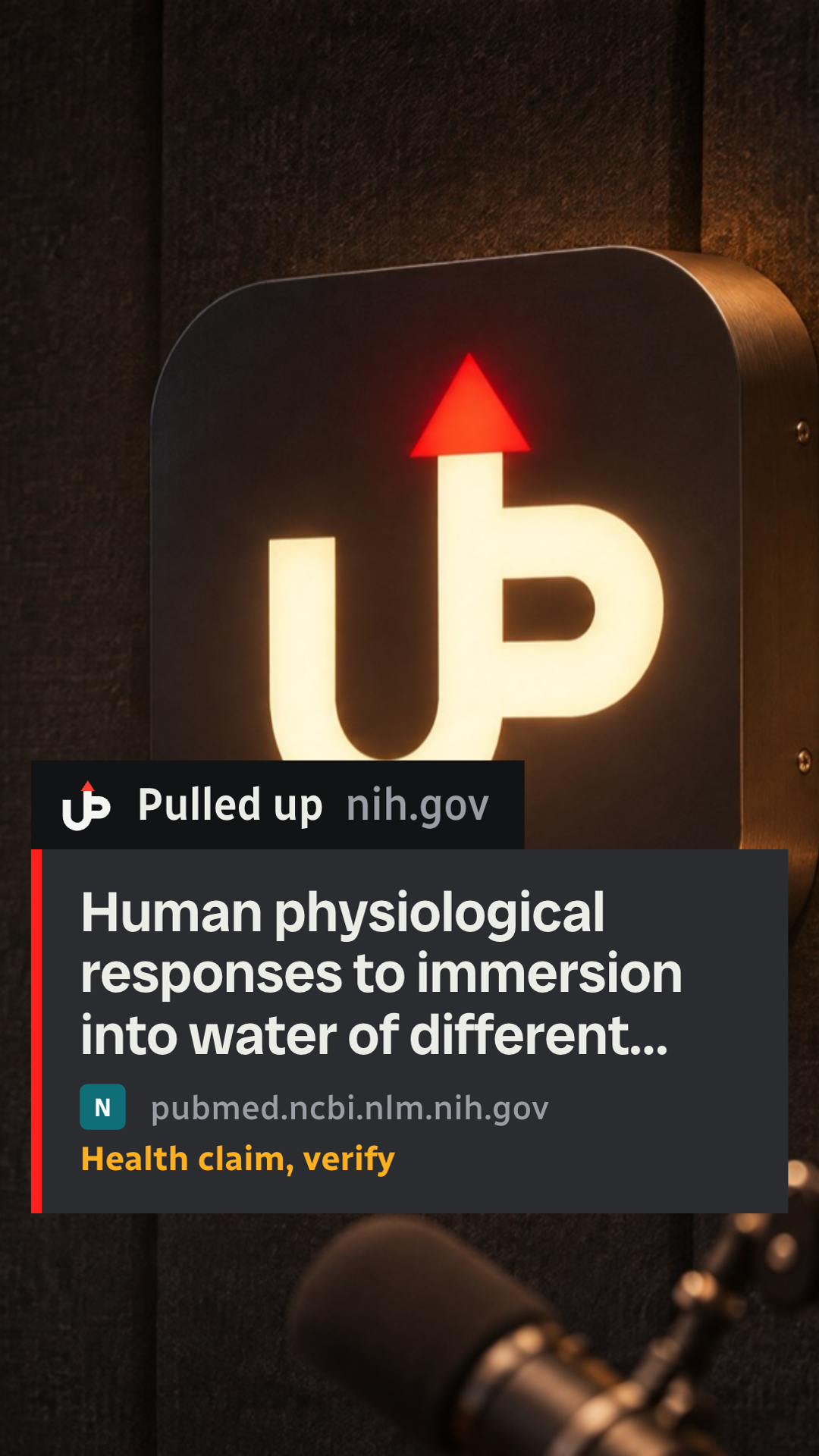
A vertical 9:16 frame with the Clip-safe card centred above the caption area
The Clip-safe card in a vertical clip. PNG

Mark, lockup and icon

The UP monogram: a U and a P sharing one stem that rises into a red arrow, the red of going on air. The wordmark is set in Dela Gothic One.

Lockup, for light grounds
Lockup, for light groundsSVGPNG
Lockup, for dark grounds
Lockup, for dark groundsSVGPNG
Lockup, one colour, black
Lockup, one colour, blackSVGPNG
Lockup, one colour, white
Lockup, one colour, whiteSVGPNG
Mark, for light grounds
Mark, for light groundsSVGPNG
Mark, for dark grounds
Mark, for dark groundsSVGPNG
Mark, one colour, black
Mark, one colour, blackSVGPNG
Mark, one colour, white
Mark, one colour, whiteSVGPNG
Icon, Tally
Icon, TallySVGPNG
Icon, macOS grid
Icon, macOS gridSVGPNG

Using the mark

  • Scale it evenly, and keep the arrow pointing straight up.
  • Keep it flat: no shadows, glows or gradients. Never set it on red.
  • Leave clear space on every side equal to the arrowhead’s height.
  • At 16 px and below, use the one-colour mark: it has a gap under the arrow so it still reads.
  • Write the name as Pull Up, two words, capital P and U. The wordmark is all capitals; running text isn’t.

Colour

  • Graphite #1C1E21, the icon’s tile
  • Graphite #2A2C30, the mark on light grounds
  • Paper #F5F5F1, the mark on dark grounds
  • Program red #FF3D2E, the arrow only: on air